

AD
How to Find Your Fantasy Premier League, League ID Quickly & Easily
Watch the step by step video below to get your FPL League ID and add it to FPL Galaxy:
OR
Follow the steps below:
Step 1. Log in to FPL
Visit https://fantasy.premierleague.com/leagues/ and make sure you are logged in to your league manager account.
Step 2. Open Your League
Click the league you want to add. This opens the standings page.
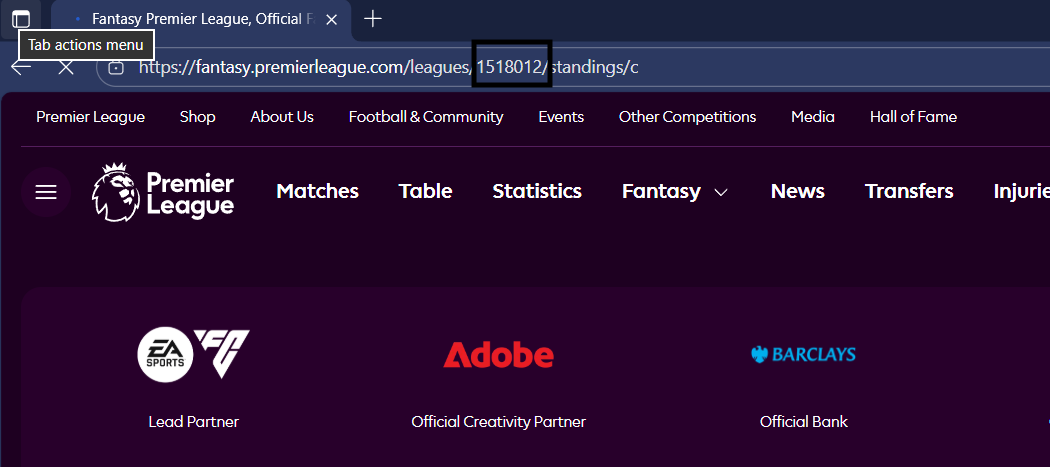
Step 3. Copy the League ID
The league ID is inside your browser URL. See example image below (the digits that are in the box).
Step 4. Enter it in FPL Galaxy
Return to FPL Galaxy, paste your league ID, and submit and you are good to go
AD
AD